Now Reading: Starbucks Teamworks: Navigating the SBUXPartnerHrs Scheduling System
-
01
Starbucks Teamworks: Navigating the SBUXPartnerHrs Scheduling System

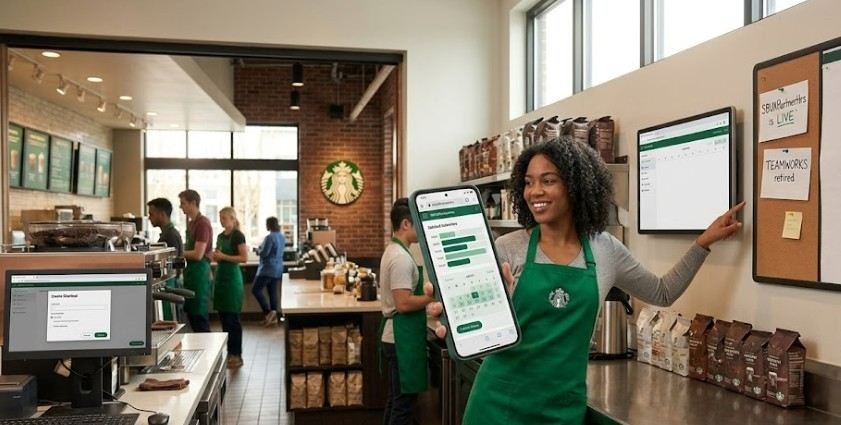
A single barista call-out can trigger a domino effect across an entire morning shift, leaving a store scrambling to handle peak rush with a missing main register. In retail coffee operations, real-time schedule management isn’t just a corporate convenience—it directly dictates whether a shift runs smoothly or breaks down.
Starbucks manages over 380,000 employees globally, and coordinating their schedules requires an enterprise-level platform. While partners historically referred to this system as starbucks teamworks, the platform has largely migrated to the SBUXPartnerHrs scheduling architecture. This shift modernized workforce management by bringing shift trades, time-off requests, and availability tracking straight to partners’ smartphones.
Navigating this digital system effectively means understanding how to access your shift roster, swap shifts without friction, and maintain your benefits eligibility.
What is Starbucks Teamworks (SBUXPartnerHrs)?
Starbucks Teamworks originally referred to the automated workforce management interface built on JDA/Blue Yonder software. Designed to centralize employee shifts across thousands of store locations, the system replaced outdated paper rosters and manual logbooks. Today, the underlying functionality operates primarily under the SBUXPartnerHrs mobile ecosystem and the Starbucks Partner Central web infrastructure.
STARBUCKS WORKFORCE ECOSYSTEM
┌──────────────────────────┴──────────────────────────┐
│ │
WEB PORTAL MOBILE APP
(Partner Central / Web Link) (SBUXPartnerHrs via Hub)
│ │
├─► View Posted Schedules (2 Weeks Out) ├─► Real-time Shift Swapping
├─► Submit Long-term Time Off Requests ├─► Claim Marketplace Hours
└─► Manage Official Availability Windows └─► Punch Corrections & Mobile Alerts
The system handles several crucial operational functions:
- Automated Scheduling: Matches employee availability against store foot-traffic trends to optimize coverage.
- Shift Marketplace: Allows partners to offer up shifts or claim open hours across their district.
- Time-Off & Leave Management: Streamlines vacation, sick leave, and personal availability submissions.
- Timecard Auditing: Provides clear line-sight into recorded punches so partners can verify hours before payroll runs.
According to the U.S. Bureau of Labor Statistics, clear and predictable work schedules play a vital role in reducing turnover within the food service and accommodation sectors. By giving partners direct mobile control over their hours, digital scheduling systems help address industry-wide scheduling unpredictability.
How to Access the Portal: Mobile vs. Desktop Setup
Accessing your schedule depends on whether you are logging in from a personal computer or installing the dedicated mobile application on your personal device.
Desktop Web Access
The legacy web link (sbux.co/teamworks) no longer routes directly to the schedule portal. To log in on a browser:
- Navigate to the official Starbucks Partner Central portal or your region’s dedicated web-based scheduling URL.
- Enter your standard Global Username (typically USxxxxxxx for US partners).
- Enter your network password to open your Partner Self-Service dashboard.
Installing SBUXPartnerHrs on Mobile Devices
Unlike standard consumer apps, you won’t find the enterprise-grade SBUXPartnerHrs application by performing a basic search in the public Apple App Store or Google Play Store. Because it accesses internal store metrics and employee records, it relies on strict Mobile Device Management (MDM) protocols.
Step 1: Download Workspace ONE Intelligent Hub ──► Step 2: Scan Back-of-House QR Code (Group ID: PARTNER) ──► Step 3: Authenticate via Global Credentials ──► Step 4: Download SBUXPartnerHrs from internal AppCafé
- Download the Management Hub: Install the Workspace ONE Intelligent Hub app from your phone’s official app store.
- Enroll Your Device: Open Intelligent Hub. When prompted for a server address or QR code, scan the official Starbucks QR flyer located in your store’s back room. If entering credentials manually, input partner as the Group ID when prompted.
- Authenticate: Log in with your network credentials and complete multi-factor verification if required.
- Install SBUXPartnerHrs: Open the internal AppCafé catalog inside Intelligent Hub and trigger the download for SBUXPartnerHrs.
Key Features & Core Functions
| Feature | Primary Action | Why It Matters |
| Schedule Viewing | Access weekly shifts up to 14 days in advance | Prevents scheduling surprises and helps plan personal life. |
| Shift Marketplace | Post, trade, or claim open hours | Offers flexibility to pick up hours or cover emergencies. |
| Time-Off Requests | Submit vacation or personal days off digitally | Automatically checks for supervisor approval before schedules lock. |
| Availability Updates | Set recurring weekly availability windows | Aligns manager expectations with school, second jobs, or family care. |
Research on workplace wellness published by the National Institutes of Health (NIH) shows that job control—specifically schedule latitude—directly correlates with lower chronic stress and improved sleep quality among hourly workers.
Troubleshooting Common Login & System Issues
When the schedule system drops offline or refuses your credentials, use this decision framework to resolve the issue quickly:
- Stuck on “Authentication Failed”: Network passwords expire periodically. Reset your credentials using the Starbucks Password Self-Service tool on a store computer before re-attempting mobile app access.
- Intelligent Hub Disconnected: Security profiles expire over time. If the SBUXPartnerHrs app closes instantly upon opening, delete the Intelligent Hub profile and re-scan your store’s QR code to refresh enrollment.
- Missing Shift Trade Buttons: Shifts cannot be offered or swapped within 24 hours of start time through the app. Late trades require direct Store Manager intervention and verbal confirmation.
Common Misconceptions About the Platform
- Misconception 1: “The app tracks personal phone data.”
- Fact: The MDM profile (Workspace ONE) only manages company-specific software containerization. Starbucks cannot view personal photos, call logs, messages, or browsing history.
- Misconception 2: “Swapping shifts in the app means I’m instantly off the hook.”
- Fact: Shift trades require manager sign-off within the system. You remain legally responsible for your shift until the marketplace trade updates to “Approved” on your roster.
- Misconception 3: “Logging hours worked automatically grants benefits.”
- Fact: While SBUXPartnerHrs tracks your logged shifts, benefit eligibility audits occur twice a year (typically measuring whether you hit the 520-hour minimum threshold over a six-month evaluation period).
Frequently Asked Questions
1. How far in advance are Starbucks schedules posted?
Starbucks store managers post schedules at least 14 days in advance, typically listing the current working week along with the upcoming two weeks.
2. Can I log into Starbucks Teamworks on a desktop browser?
Yes. You can log into Partner Central via a desktop browser using your Global Username (USxxxxxxx) and password to check schedules and submit time off.
3. Why can’t I find the SBUXPartnerHrs app in the App Store?
The SBUXPartnerHrs app is a secure internal enterprise program. You must first install Workspace ONE Intelligent Hub and scan your store’s QR code to download it.
4. What happens if I miss a punch on my shift?
You can review punch discrepancies inside the app, but you must log missing punches in your store’s physical Punch Correction Log so your Store Manager can adjust your pay card.
Mastering Your Starbucks Schedule
Digital scheduling tools like starbucks teamworks and the SBUXPartnerHrs platform exist to place workplace flexibility back into your hands. By mastering device enrollment, learning how to trade shifts, and staying proactive with your recurring availability, you protect both your personal time and your overall standing with your store team. When technology fails, fallback systems—like contacting the Enterprise Help Desk or reviewing physical store rosters—ensure you never miss a shift.
Take control of your weekly hours today by logging into the platform, verifying your availability settings, and ensuring your mobile enterprise security profiles remain fully updated.