
Now Reading: Why “G Plus Games” Dominate School and Office Downtime (and How to Play Safe)
-
01
Why “G Plus Games” Dominate School and Office Downtime (and How to Play Safe)

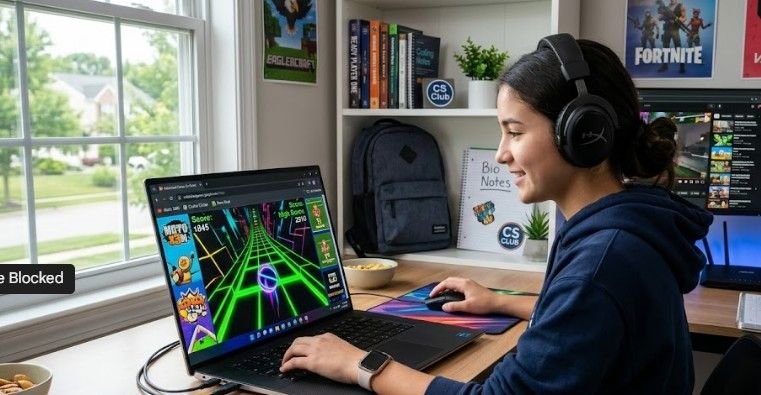
School network firewalls block millions of websites every day, yet one specific query consistently bypasses restrictions: g plus games.
If you have ever tried loading an online game during lunch or a study hall only to meet a harsh “Access Denied” screen, you are far from alone. Students and remote workers across the U.S. routinely search for these specialized game hubs to squeeze in a quick round of Slope or Retro Bowl between tasks.
Understanding what “g plus games” actually means, why these portals manage to bypass advanced web security, and how to spot safe mirrors from dangerous phishing traps is crucial for avoiding network bans or device infections.
What Are G Plus Games?
When people search for “g plus games,” they aren’t looking for Google’s long-defunct social network, Google+. Instead, the phrase refers to Unblocked Games G+ (or Unbanned G Plus)—a massive, decentralized network of browser-based gaming hubs hosted directly on Google Sites.
How School Firewall Systems Treat Different Gaming Websites
School firewall systems use filtering rules to control access to websites based on categories, domains, and security ratings. The way a website is classified can determine whether students can access it or whether it gets blocked.
Standard Game Websites May Be Blocked
A typical gaming website with a dedicated game-focused domain may trigger school filtering systems. For example:
Website Type: Standard Game Site
Example URL: www.gamehub.com
Firewall Result: Blocked ❌
Reason: The website may be categorized under entertainment or gaming content. If the firewall detects keywords, domain categories, or patterns associated with online games, access may be restricted.
Trusted Platforms May Receive Different Treatment
Some platforms hosted on trusted domains may be handled differently by school filtering systems. For example:
Website Type: Google Sites Gaming Hub
Example URL: sites.google.com/view/gplus
Firewall Result: Allowed ✅
Reason: The platform is hosted under a trusted domain that may already be approved by the school’s network policies. Since the domain is recognized as a widely used educational and productivity service, it may not trigger the same gaming-related restrictions.
Why Domain Reputation Matters
The difference often comes down to how a firewall evaluates the source rather than only the content itself. A gaming website on a dedicated entertainment domain may be flagged, while a resource hosted on a trusted platform may pass initial filtering checks. However, final access depends on each school’s specific network rules and administrator settings.
Because these portals run on Google’s sites.google.com domain infrastructure, automated network security tools run into a dilemma. Blocking the main web domain blocks access to legitimate classroom templates, shared project files, and Google Workspace resources. As a result, network administrators leave the root domain whitelisted, allowing thousands of HTML5 and Flash-emulated games to bypass filters untouched.
How G+ Game Portals Work Behind the Scenes
The seamless experience of launching a game on a G+ hub boils down to three core web technologies:
- Google Infrastructure Encapsulation: Game hubs hide inside subfolders of Google Sites. Firewalls see high-level encrypted HTTPS traffic routed through Google’s verified IP addresses, fixing keyword cannibalization right away.
- Native HTML5 & WebGL Execution: Modern browsers run HTML5 games directly without requiring external browser extensions, extra plugins, or local installations. This allows games to load fast on low-spec devices like school Chromebooks.
- Decentralized Mirror Networks: If an IT department manually flags and blocks a specific Google Site link, community members quickly generate dozens of identical mirror links or host alternative webmixes (such as Symbaloo collections) to keep access alive.
Top Games Hosted on G+ Portals
The library on G+ sites covers hundreds of titles, ranging from classic retro arcade ports to viral multiplayer games.
| Category | Popular G+ Titles | Typical Playtime |
| Action & Survival | 1v1.lol, Shell Shockers, Granny, Supermario63 | 5 – 15 mins |
| Skill & Runners | Slope, Run 3, Eggy Car, Vex 5 | 2 – 10 mins |
| Casual & Puzzles | Cookie Clicker, Monkey Mart, 2048, Fireboy and Watergirl | 5 – 30+ mins |
| Sports & Racing | Basketball Stars, Retro Bowl, Moto X3M, Soccer Skills | 5 – 20 mins |
Alternative Meanings of “G Plus Games”
While the unblocked browser network dominates overall search traffic, the name “G Plus Games” occasionally pops up in two other tech contexts:
- Mobile App Developers: A handful of Android app studios registered on the Google Play Store produce casual board, card, and regional games (such as Chowka Bara or Heart Rummy).
- Game Studios: Independent entertainment outfits like G Plus Games Co., Ltd. operate as specialized game dev teams separate from browser-based portals.
The Real-World Catch: Risks of Playing Unblocked Games
While hopping into a fast game of Run 3 feels harmless, accessing third-party unblocked portals on monitored networks carries real risks.
1. Security & Malware Threats
Not every site carrying the “G+” label is safe. Unofficial mirrors and clone sites frequently monetize through intrusive pop-up advertisements, malicious redirect chains, and deceptive “update required” buttons that trigger malware downloads.
2. Violating Acceptable Use Policies
Most educational institutions and corporate offices require users to sign an Acceptable Use Policy (AUP). The U.S. Department of Education highlights digital safety standards under regulations like the Children’s Internet Protection Act (CIPA), which mandates filtering tools to keep networks focused on learning. Intentionally using mirrors or proxies to bypass network restrictions can result in revoked device privileges, network bans, or disciplinary actions.
Safety Checklist: How to Protect Your Device
If you choose to use browser gaming portals during your personal break time, follow this quick safety protocol to protect your device and privacy:
- Verify the URL: Stick strictly to official sites.google.com subdomains. Avoid suspicious third-party domains mimicking the G+ branding.
- Check HTTPS: Ensure the browser URL displays an active lock icon indicating SSL/TLS encryption.
- Deny Unusual Permissions: Real HTML5 browser games never require access to your location, web camera, microphone, or local file system. If a pop-up asks, click Block immediately.
- Never Download Files: True G+ games execute entirely within your web browser. If a prompt asks you to download .exe, .apk, or zip files to play, close the tab right away.
- Use Safe Alternatives: When G+ portals are completely locked down, pivot to trusted, educational platforms like Coolmath Games or MIT’s Scratch platform, which are widely accepted across most network environments.
Frequently Asked Questions
1. Are G Plus games safe to play?
Original Google Sites versions are generally safe because they run sandboxed HTML5 code in your browser. However, third-party copycat sites often embed pop-up ads, tracking scripts, or suspicious redirects that can jeopardize security.
2. Why aren’t G Plus games blocked by school Wi-Fi?
They are hosted on Google’s main domain (sites.google.com). Firewalls rarely block Google’s primary infrastructure because doing so would break access to essential learning tools and classroom documents.
3. Do I need to download anything to play G+ games?
No. All legitimate G Plus games run entirely inside modern web browsers using HTML5. You should never download executable files, installers, or browser extensions to start playing.
At its core, the rise of “g plus games” highlights how browser technology and clever cloud hosting adapt to network restrictions. By leveraging Google’s trusted domain infrastructure, these unblocked portals provide free, instant access to hundreds of classic titles without installations or hidden fees. However, convenience shouldn’t overwrite digital safety. Always inspect the web address, never download external game files, and stick to verified domains to ensure your short break stays fun and secure.