
Now Reading: What Is the Leaf Browser? The Truth Behind Chrome’s Legendary Underground Tool
-
01
What Is the Leaf Browser? The Truth Behind Chrome’s Legendary Underground Tool

An unassuming browser extension once triggered a massive headache for school IT departments across the United States.
It wasn’t a malicious virus or a high-level hacking toolkit. It was a simple, lightweight extension designed to organize web tabs. Yet, within months of its release, millions of students discovered that this innocent piece of software possessed an unintended superpower: it could bypass school network filters.
The tool in question is the leaf browser, an open-source project that became an underground legend in student communities and tech forums. But if you search for it today, you will find a maze of conflicting information. Is it a hacking tool, a privacy utility, a mobile app, or academic software?
The short answer is that the leaf browser isn’t just one thing. Depending on where you look, the name refers to very different applications.
The Origin: How a Tab Manager Became a Web Filter Bypass
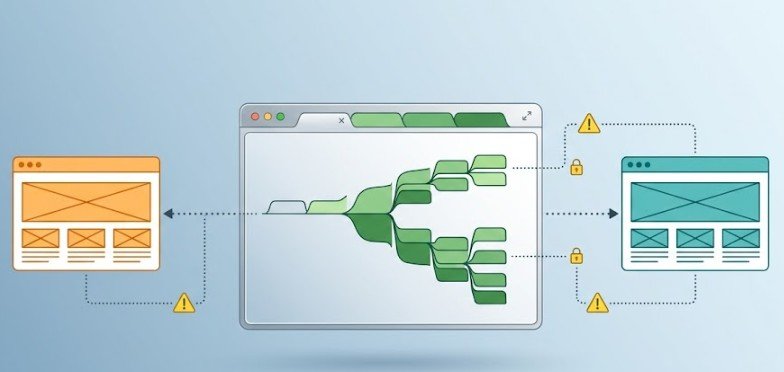
The most famous version of this software is Leaf Browser Alpha, an experimental open-source web browser UI built as a Chrome packaged application. Originally designed to give users a tree-structured, distraction-free environment for organizing web pages, its architecture inadvertently created a massive security loop.
Standard web-filtering software used by public schools under the Children’s Internet Protection Act (CIPA) primarily monitors traffic inside standard browser tabs. Because Leaf Browser ran as an isolated container window outside the main tab array, filter hooks often failed to inspect its web requests. Students quickly realized they could stream restricted video platforms, access social media, or play online games on school-issued Chromebooks without triggering administrative blocks.
The trick did not last forever. School administrators noticed the sudden spike in unmonitored traffic and flagged the application ID. According to network infrastructure data tracked on platforms like GitHub, Leaf Browser Alpha was eventually added to global Children’s Internet Protection Act (CIPA) extension blacklists, effectively ending its run as a quick network bypass.
Identity Crisis: The 4 Different Tools Named “Leaf Browser”
Because the original source code was public, the name “Leaf Browser” evolved into an umbrella term for several distinct digital tools.
| Tool Variant | Primary User Base | Core Functionality | Current Status |
| Leaf Browser Alpha | Students & Power Users | Chrome extension operating in isolated container windows | Discontinued / Globally Blacklisted |
| Privacy / Scraping Leaf | Digital Marketers & Developers | Fingerprint manipulation and automated web scraping | Outdated (Flagged by modern anti-bot systems) |
| Leaf Mobile Browser | Everyday Smartphone Users | Lightweight Android surfing with a dark interface | Active on Google Play Store |
| Leaf e-Reader | University Students & Academics | Digital book reader for university press publications | Active (Powered by Glassboxx) |
1. The Chrome Extension & Chromebook Legend
This is the original packaged app that made waves in school districts. While the project is discontinued and blacklisted by enterprise device management systems, its legacy lives on in tech forums as a classic case study of early ChromeOS sandboxing quirks.
2. The Digital Privacy and Automation Utility
In developer circles, modified versions of the original browser were repurposed for data extraction, web scraping, and identity management. By spoofing browser signatures, marketers could run multiple profiles without triggering platform security. However, as modern web platforms adopted advanced fingerprinting mechanisms, these unmaintained builds lost their effectiveness.
3. Leaf Mobile Browser
Available on the Google Play Store, this lightweight Android browser shares no code with the desktop project. It is built strictly for minimal resource consumption, offering a dark-themed interface for basic mobile web surfing.
4. Leaf e-Reader (Academic Browser Companion)
Distributed via platforms like Glassboxx and Longleaf Services, the Leaf e-Reader is an academic reading ecosystem. Used primarily by university presses, it allows students and researchers to access, highlight, and annotate academic eBooks securely across desktop and mobile devices.
Network Security Realities: Why Bypassing Filters Fails Today
Network filtering has evolved dramatically since the peak of early extension exploits. Today, attempting to bypass administrative controls on managed devices carries real technical and administrative consequences.
Organizations like the Cybersecurity and Infrastructure Security Agency (CISA) emphasize that enterprise security models must operate on zero-trust principles, moving protection from the browser window directly to the network gateway.
Modern network environments restrict unapproved software in three distinct ways:
- DNS and Gateway-Level Filtering: Filters no longer care which app sends a request. If a Chromebook attempts to connect to a blacklisted IP address or domain, the router drops the connection before the page loads.
- Extension Blacklisting: Google Workspace administrators use centralized policy controls to prevent users from installing unapproved extensions or loading packed .crx files directly.
- Automated Audit Logs: Attempting to force developer mode or sideload blacklisted applications triggers immediate flags on IT management dashboards, exposing the user account to administrative actions.
4-Step Checklist: Is Your Browser Tool Safe and Compliant?
Before installing any third-party browser utility, lightweight extension, or reading tool, evaluate it against this basic safety matrix:
- Verify the Publisher Source: Avoid downloading raw .crx files or modified binaries from third-party file-hosting sites. Only install tools distributed via official repositories like the Chrome Web Store or Google Play Store.
- Review Requested Permissions: A lightweight tab manager or reader should never require access to your file system, keystrokes, or background process controls.
- Check Maintenance History: Software that hasn’t received security patches in over 12 months poses a vulnerability risk, leaving your local system exposed to unpatched browser exploits.
- Confirm Device Policy Adherence: If you are using a managed workstation or school laptop, check whether third-party utilities violate your organization’s Acceptable Use Policy (AUP).
Safe, Modern Alternatives for Tab Management and Productivity
If you originally sought out the leaf browser to organize cluttered tabs or speed up a lagging Chromebook, safe and updated alternatives exist that work within official app ecosystems.
- Workona: A dedicated workspace manager that organizes tabs by project, saving computer memory while keeping multi-tab workflows clean.
- OneTab: Converts all open tabs into a clean, single-list view with one click, reducing browser RAM usage by up to 95%.
- Built-in Chrome Tab Groups: Modern Chrome includes native tab grouping, color-coding, and collapsing features directly inside the standard user interface.
Frequently Asked Questions
1. Is the original Leaf Browser still available?
No. The original Leaf Browser Alpha Chrome extension is discontinued and blacklisted on most managed network systems. Unofficial downloads hosted on third-party sites are unmaintained and pose security risks.
2. Can I get in trouble for using Leaf Browser on a school laptop?
Yes. Installing blacklisted extensions or attempting to bypass network filters violates standard computer usage policies, which can result in revoked device privileges or disciplinary action.
3. Is the Leaf e-Reader related to the Chrome extension?
No. The Leaf e-Reader is an authorized digital reading platform developed for university press publications and academic eBooks. It is completely unrelated to the discontinued Chrome extension.
The saga of the leaf browser highlights how quickly a simple productivity tool can turn into an underground phenomenon when smart users discover a design flaw. While its days as a secret network bypass are long gone. Understanding its history explains why modern cybersecurity relies so heavily on strict network-level filtering.
Today, whether you need to manage browser clutter or read academic materials, sticking to official tools ensures your system remains fast, stable, and completely secure.