
Now Reading: 6 Best Dental Practice Management Software Tools for Modern Offices in 2025
-
01
6 Best Dental Practice Management Software Tools for Modern Offices in 2025

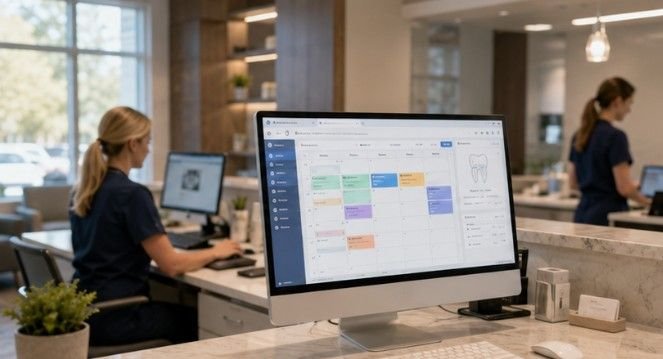
Software has quietly become the backbone of every well-run dental office. Behind every on-time appointment, clean insurance claim, and satisfied patient is a practice management platform doing a lot of heavy lifting. If you’re a tech-curious reader who also cares about how digital tools translate into real-world results, this one’s for you.
Whether you’re a dental professional sizing up your options, a healthcare IT consultant advising a practice, or just someone who geeks out on how specialized software solves industry-specific problems, understanding what separates a great dental platform from a mediocre one is genuinely fascinating. And if you’ve ever wondered what it actually takes to run a modern dental office smoothly, start by asking your falls church dentist how much of their day depends on the software running in the background.
To put this list together, we looked at features, deployment options, pricing transparency, billing workflow quality, user reviews, and how well each platform handles the full patient journey from first booking to final payment. Here are six platforms worth your attention in 2025.
1. Dentrix
Dentrix is the most widely used practice management software in North American dentistry. It’s been around since the late 1980s and has grown into a deeply featured platform covering scheduling, billing, clinical charting, imaging integration, patient communication, and reporting.
Dentrix features integrated insurance eligibility verification, real-time claim tracking, and built-in claim appeal templates. Its ledger and reporting tools simplify AR follow-up and patient billing. For practices running high patient volumes, those automation touches add up fast.
It runs on-premise, meaning your data lives on a server in your office, and the software is installed on each workstation. That setup appeals to practices that want direct control over their data without depending on a third-party cloud environment.
The downside? Its downside is the cost. Because of its feature depth, it’s one of the more expensive solutions on the market. But for large general practices that need a mature, battle-tested platform, Dentrix earns its place at the top of most shortlists.
| Category | Rating
|
|---|---|
| Ease of Use | Good |
| Insurance Billing | Excellent |
| Deployment | On-Premise |
| Best For | High-volume general practices |
2. Open Dental

Open Dental is the only major dental practice management system that’s genuinely open source. The community can build custom plugins, integrations, and workflows on top of it, and Open Dental pricing reflects that freedom. You pay a low monthly support fee rather than a large annual license, and the software itself downloads for free.
Open Dental offers detailed AR aging reports, batch insurance claim submission, and automated secondary claim generation. For practices with a tech-forward office manager or an IT consultant on retainer, those capabilities are genuinely powerful.
Open Dental is one of the most affordable dental software solutions available. The downside is that it’s made for people who are tech-savvy. Your staff may require more training on how to use the software properly versus more user-friendly alternatives.
In a survey of dental billing professionals, Open Dental won the vote as the favorite dental billing software among 100+ dental industry employees at Dental Claim Support. That kind of peer endorsement means something.
| Category | Rating
|
|---|---|
| Ease of Use | Moderate (tech skills needed) |
| Insurance Billing | Excellent |
| Deployment | On-Premise / Self-Hosted |
| Best For | Budget-conscious, tech-savvy practices |
3. Eaglesoft
Eaglesoft is Patterson Dental’s flagship practice management platform and Dentrix’s closest competitor in terms of market share. Like Dentrix, it’s an on-premise Windows application backed by a SQL Server database. It covers scheduling, clinical charting, billing, and imaging integration.
Where Eaglesoft tends to pull ahead of Dentrix is on user experience. Many practices find the learning curve shallower than Dentrix, and Patterson customer service tends to have a better reputation for responsiveness. The clinical charting workflow is strong for practices that prioritize the chair-side experience.
Eaglesoft includes robust insurance estimation, batch claims, and pre-authorization tracking. Its clinical and billing modules are tightly integrated for clear documentation and coding.
On pricing, pricing depends on what you want to do with the software. You pay based on the data that needs to be stored, including patient counts, the number of doctors and staff. The more capabilities you want and data you have, the more you’ll end up spending. That variable model can make budgeting tricky for fast-growing practices.
| Category | Rating
|
|---|---|
| Ease of Use | Very Good |
| Insurance Billing | Very Good |
| Deployment | On-Premise |
| Best For | Practices already in the Patterson ecosystem |
4. Curve Dental
Curve Dental is the cloud-native answer for practices that want to leave the on-premise server behind for good. It’s a cloud-based platform with a modern UI and strong patient engagement features. If your office manager wants to check the schedule from home or your front desk needs real-time access from two different workstations without a shared server, Curve fits that model naturally.
Curve provides cloud-based access to patient ledgers, insurance benefits, and e-claims. Automated reminders and online forms help simplify front desk workflows.
Pricing for cloud-based tools is subscription-based. Cloud-based solutions like Curve Dental typically charge monthly per provider or per location. That predictable monthly cost appeals to newer practices that want to avoid large upfront licensing fees.
The trade-off is internet dependency. If your office loses connectivity, so does your access to patient records. That’s a genuine consideration for any practice evaluating cloud-first tools.
| Category | Rating
|
|---|---|
| Ease of Use | Excellent |
| Insurance Billing | Good |
| Deployment | Cloud-Based |
| Best For | Modern, multi-location or remote-access practices |
5. Denticon
Denticon is an all-in-one cloud-based dental software. It integrates patient clinical charting, practice management, and business intelligence features. It’s cloud-based, meaning you can access your practice data anytime, anywhere.
Denticon is enterprise-grade, cloud-based, and ideal for dental service organizations and group practices. If you’re managing five or more locations and need a centralized command center for billing, reporting, and patient records, Denticon was essentially built with that use case in mind. Where dentists make root canal treatment more comfortable.
Denticon is valued for its extensive features that cater to the unique needs of dental practices. The software’s remote accessibility allows for greater flexibility, helping dentists save time and enhance patient service.
Solo practitioners or small two-chair offices may find Denticon’s enterprise focus overkill. The platform shines when there’s enough scale to actually take advantage of its business intelligence layer and multi-site reporting.
| Category | Rating
|
|---|---|
| Ease of Use | Good |
| Insurance Billing | Excellent |
| Deployment | Cloud-Based |
| Best For | DSOs and multi-location group practices |
6. DentiMax

DentiMax is a dental practice management software designed to help dental offices manage their operations, from scheduling appointments to managing billing and clinical workflows. It also offers both cloud-based and on-premise solutions, making it a good fit for practices of all sizes. DentiMax has a user-friendly interface and comprehensive features.
DentiMax combines clinical and billing features, with flexible deployment options. That flexibility is actually its biggest selling point. You can run it locally on your server today and potentially migrate to their cloud environment later without switching platforms entirely.
For practices that want something in between the full enterprise weight of Denticon and the open-source complexity of Open Dental, DentiMax hits a reasonable middle ground. The learning curve is manageable, and the feature set covers the essentials without burying your front desk staff in menus they’ll never use.
| Category | Rating
|
|---|---|
| Ease of Use | Very Good |
| Insurance Billing | Good |
| Deployment | Cloud or On-Premise |
| Best For | Small to mid-size practices wanting deployment flexibility |
How to Pick the Right One for Your Practice
Your final call comes down to a few honest questions. How big is your practice, and how much IT support do you have access to? Do you want your data on a local server you control, or are you comfortable with a cloud-based subscription? And how much are you realistically willing to spend per month on software licensing?
The modern dental practice is no longer just a place for clinical care. Learn how often patients should schedule routine dental visits. It’s a complex business that demands efficiency, exceptional patient service, and strategic growth. At the heart of this evolution lies dental practice management software, and choosing the right system is one of the most impactful decisions a practice owner can make, shaping everything from daily operations to long-term patient retention.
Make sure any platform you evaluate meets HIPAA compliance requirements, provides secure data storage, and receives regular software updates. You also want an interface that your team can learn without months of painful onboarding.
Features like online booking, appointment reminders, and easy access to treatment history make it simpler for patients to engage with a dental practice. Those front-facing features matter just as much as what’s happening under the hood.
Start with a free demo from two or three platforms on this list. Get your office manager, front desk lead, and a clinical staffer in the room for each demo. The platform they can actually use on day one, without constant troubleshooting, is almost always the right answer for your practice.